Day two of Photography 101. Today’s assignment, “focus on a street. It can be a quiet road in a small town, an alley near your apartment, or a busy street where pedestrians weave between cars and motorbikes, like this scene from Hanoi, Vietnam.”
Counting down the days until winter.
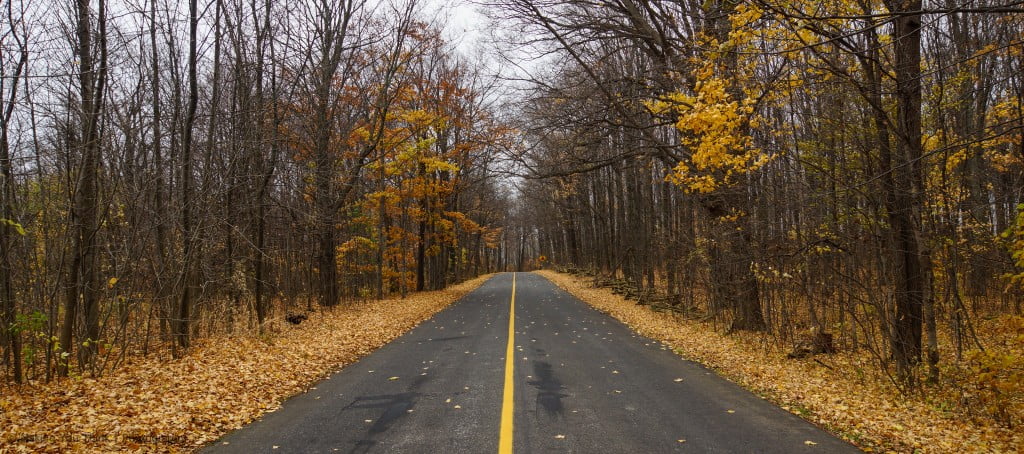
It is incredible what a few days can do to a place — if you drove down this road only a few days ago, it would have been as if you were driving through an archway of fall colours. A street can be interesting — if I looked to the left, the glamour of a new freeway cutting through the landscape, to the right, foliage as far as the eye can see.
An aside note, trying to think of an area to photograph this morning it occurred to me, a drizzling day, overcast, certainly not the greatest of light. At the same time fall, and again, not the greatest amount of light — where dusk approaches by later afternoon, and the moon is shining it all of its radiance by dinner time. Yet, that is simply another element in our photography.
We can never plan the weather, or if we can get our subject to smile, or in my case, as I seem to always be photographing birds, to stay still. However, we make the most of the environment we are in and jump in with both feet to capture the best photo we can see through our lens.
Home is Where the Heart Is. Taking a look through The Commons, it looks like an incredible group of Bloggers and Photographers all set to jump into Photography 101. I am sincerely looking forward to learning what the 101 class has to offer and even more, what I can learn and be inspired by, from the work of everyone in the class.
Appreciation
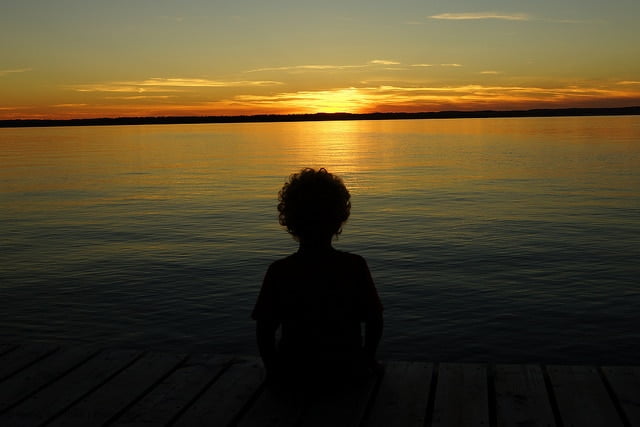
Our first assignment, What does Home Mean to Me, had me thinking. Does home mean the lake that is a few hundred steps from the house and the brilliant sunsets we enjoy both near and far each night, does home mean the roof over my head or the tree fort in the yard? However, what I quickly narrowed in on is that at a blink of an eye, any of those can change. The sunset will always be there, but what happens if we move and not a 30-second walk to the dock, what happens if a storm knocks over a tree that the fort surrounds or an accident destroys the house. In truth, you could say each and every one of these replies is superficial at best.
Brothers
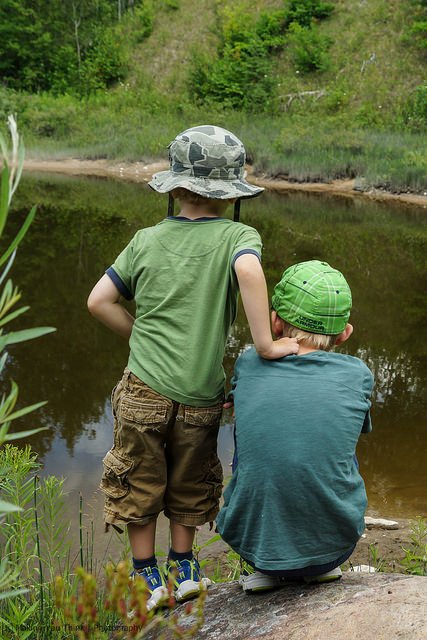
To me, home, is anywhere I can appreciate my two amazing boys. As a unit, we will survive any hiccups in life, as a family, we will make anywhere home. Is this a cough up of an answer, possibly, however, as I return to the keyboard after checking in on them sleeping away the night, I truthfully would not want to include anything else.
WordPress seems to take on two hats, as an incredible, blogging and communicating platform that is used across the globe to share our thoughts, dreams, and confessions. On the other side of the divide, WordPress functions as an incredible CMS (Content Management System), and operates much like any other website, providing a strong, back end image, text, and page management features. In most cases these hats are interchangeable. Enjoy this blogging 101 post on creating your first page, post and blog content.
Pages vs Posts
Jumping onto the support site at WordPress.com, here is the official difference between pages and posts (you can read more here):
Posts
Posts are entries listed in reverse chronological order on the blog home page or on the posts page if you have set one in Settings → Reading. If you have created any sticky posts, those will appear before the other posts. Posts can be found in the Archives, Categories, Recent Posts, and other widgets. Posts are also displayed in the RSS feed of the blog. You can control how many posts are displayed at a time in the Reading Settings. The URL for a post includes the date the post was published like this: /2014/blogroll-links/
Pages
Pages are static and are not listed by date, much like a traditional HTML website. Pages do not use tags or categories. An About page is the classic example of a page.
Pages can be displayed in the sidebar using the Pages widget, and some themes display pages in tabs at the top of the blog. The URL for a page looks like this: /recent-book-reads. Pages are great for static, single purpose pages, contact or about me information, list of items, such as my recently read books, a link or embedded Twitch or YouTube channels, or photo galleries.
Here is a list of my Pages
Here is a list of the pages I have added to my MakingYouThink blog:
How we design our WordPress site is of personal preference, pages, posts, links to alternate mediums such as YouTube, keep our content new, interesting and fresh. Each section of our sites is there to serve a purpose. When making your next post, ask yourself, would this be better served as a page?
Life seems pretty straightforward, 2 + 2 = 4, right? What seems so simple, so rudimentary, kindergarten basic, is actually a very complex question. But wait, 1 + 1 = 2, 2 + 2 = 4, again, simple, right? Today’s Blogging 101 exercise is a writing prose. Write about a topic from two different perspectives, call it Yin Vs Yang. As writers, it is important to recognize that there may be more than one interpretation of any situation. Ensure that as you are writing, you consider how you will address these alternative sets of beliefs.
In every situation there may be more than one interpretation, or right answer. Ensure that your blogging considers all possibilities. Photo by James Wheeler from Pexels.
We spend our life questioning everything, why is the sky blue, just listen to a three year old. Yet, on the flip side, we fail to question, many aspects in our lives that just seem so “normal”. Ok, normal may not be the best label, but, you know what I mean. It is interesting when we stand back and begin to not only look at life but through life. What is the backside story for why the neighbour broke up or your colleague was promoted and not you. It is truly insetting what you observe when you take a minute to look around us.
Although 1 + 1 is 2; and 2 + 2 = 4. 0.25 X 16 equates to the same. There are many interpretations of the truth and the realities we lie, and most of the time we are too scared, preoccupied, distracted to see the truth. Many times we can’t see what we are not willing to accept.
So let’s pause, take a moment and observe. What did you see?
If questioning our assumptions is part of writing, so is listening to other people. That was the focus of another Blogging 101 exercise, What Can We Learn Through Others?.
Today’s Blogging 101 assignment is to create a Blogroll powered by the Links tab to help manage the sites you enjoy to read and visit frequently and the power of reciprocal links to your blog. After all, as I have said a few times since our course started up, it is amazing the similarities there are between us.
Creating a Blogroll is the perfect way to highlight the Blogs you follow and the websites that you visit frequently.
A blogroll is a list of links to blogs that the blogger likes. A blogroll is usually included in the blog’s sidebar. Some bloggers divide their blogrolls into categories. For example, a blogger who writes about cars could divide his blogroll up into categories for links to other blogs he writes, other blogs about cars and other blogs he likes about unrelated topics. The blogroll can be set up based on each blogger’s personal preferences, and it can be updated at any time.
The question, where, oh where to fit a Blogroll? Bottom is taken; sidebar — well as long as my Blogging 101 content survives — taken so the typical Blogroll Link widget will not help this time. Hummm … is there such a thing as a Links page built into my existing Theme?
My Solution
After a little searching around the Plugins Library I stumbled across a plugin called of all things Link Library. With almost 500,000 installs, it seemed like a good candidate to help bring my link idea to fruition.
Link Library Admin Screen | A great WordPress Link management plugin. Check out how we are managing our partnership links on MakingYouThink.
Link Library WordPress Plugin
The purpose of this plugin is to add the ability to output a list of link categories and a complete list of links with notes and descriptions.
Besides having an overwhelming number of features, including allowing people to submit links to be included, out of the box it did a great job at organizing and publishing the links I have under my Links tab.
My links library or Blogroll can be found here. Now to start playing around with the more advanced features.
Today’s Blogging 101 assignment was to add and/or customize two widgets, one text-based and one image-based. Which sounds like great fun.
The main reason why I choose my theme is that it appeared to provide a “place” for all of my content. Maybe I am just a little bit of an organization freak, but hey, unlike home and real life which I feel I have no control, I can try to be a little more proactive here.
My blog design includes 4 widgets for content, the sidebar, and 3 widget areas along the bottom of the site. My biggest challenge was not finding a place to put my ideas, but to ensure that there was not any duplicate content on the home page.
Here is the current layout of my widgets:
Widget 1: Large 700 X 400 Image linking to a post
Widget 2: & widget 3: Category specific posts
Widget 4: Display the five most recent posts – however, do not duplicate posts from Widget areas 1 through 3
Bottom 1: My Tag cloud; Bottom 2: Recent comments and a link to my calendar; Bottom 3: Home of my Flickr photos.
Sidebar 1: A smorgasbord of the must haves; contact information, About Me (text widget),
Design Challenges and Difficult to Implement
So here were a few challenges in configuring my widget areas:
How to separate my posts by category – Difficulty 1
How to create a catch all post section; basically show the last 5 articles, however with a twist, that are not displayed anywhere else on the page. – Difficulty 5
How is the best way to show my Flickr content
URL Link – Difficulty 1
Thumbnails in a widget area – Difficulty 3
A dedicated page to showcase my photos – Difficulty 3
Add the blue WordPress “Follow Blog” Button
My Solutions
After a lot of trial and error – here were solutions I came up with. Let me know how you think the trio works.
Separate my Posts by Category
This was a pretty simple solution thanks to a great Plugin that came with my theme called – Genesis – Feature Page. In addition to adding posts by category, I was also able to easily configure a Featured Image of varying sizes with each listing and control the number of posts listed. After all, as much as we love to write, a picture can do an amazing job at catching our readers’ eye. The Plugin also had the ability to offset the number of posts. This looks handy if you have a sticky post — the option would all you to start displaying posts on your home page from number two (skip the most recent / sticky).
Create a Catch-All Post
The idea of a catch-all area seemed pretty easy at first glance, just tell Genesis – Feature Page, to display all categories. Bingo – the five most recent posts are displayed. The only trouble was that, if one of my Category Widgets had a new article there was duplication between the two lists; with one area showing the most recent article on for example, Crohn’s Disease, and the catch all list displaying the same article. A second issue that quickly popped up is that Blogging 101 posts, were taking over.
In doing some research – the most common solution was to create a new Category, such as Featured Posts or Home Page, and link articles that were not found under the other Categories. So when an article moved off the Topic specific category and to the catch all category, flag it with a new Category. (Did that make sense?). Honestly, trying to remember to move an article from one Category to the Next seemed like too much work in the long run and prone to errors. So the hunt was on.
Idea 1: I did a little more digging into my Feature Page there was a very setting called, EXCLUDE PREVIOUSLY DISPLAYED POSTS. Seems like the perfect solution right? And truthfully was almost perfect until I stumbled upon a little hiccup that I will try to explain. All web pages, load from top to bottom and loads my widgets as follows: Widget 1: Display Today’s Post; Widget 2: Yesterday’s Post; Widget 3: Display an earlier post from yesterday; Widget 4: Catch All (Do not show previous posts): Will Return to this one in a moment; Widget 5: Blogging 101 Posts.
So off I went, engaged the Exclude Previous Posts, in my catch all widgets and crossed my fingers. Today’s post skipped, yesterday’s post skipped, earlier post from yesterday, skipped — all great! Wait — all my Blogging 101 posts are showing up in Widget 4 and again in Widget 5. Why is that, I said – exclude previous posts. Humm …. well, as I noted, web pages are loaded from top to bottom. What is happening is that Widget 4 area, recognizes all of the other widget areas that load before them, and excludes them when it is populating Widget 4. As the Blogging 101 post are not show in areas 1 to 3, they are populated in my catch all area. Ok, back to the drawing board and the hunt was on.
Idea 2: So close, yet so far. So how can I have my catch all work, as it has been, and in addition, ignore my Blogging 101 category? Text Widget to the rescue; and a little custom coding. I won’t bore you with the PHP code here, but in simplest terms, I took the php code that was used to create the feature Post Plugin; and included an additional line of code to exclude my Blogging 101 Category. Bingo – perfect!
Add Flickr
I have been able to incorporate Flickr into two sections of my site with the help of two great apps, one as a widget on the bottom of my homepage and a second as a Page.
Flickr Badges Widget – is a simple widget to display your Flickr latest photostream in widget area using javascript from http://www.flickr.com/badge_code_v2.gne. Find your Flickr ID from Flickr NSID Lookup if you do not know your flickr id. With its very beautiful widget interface, tabbed system, and powered by jQuery makes this plugin easier to customize. Just put your Flickr ID and your widget will be ready to lunch.
Key Features & Options
Beautiful widget interface
The type of images from user or group.
Flickr NSID support.
Get the image from recent or use random function.
Displays up to 10 images.
Optional image sizes.
Intro text for additional text before the widget content.
Outro text for additional text after the widget content.
Custom scripts and stylesheets for each widget.
Free support.
Flickr Photostream – Plugin that allows you to show your Flickr Photostream, Photosets, Galleries, Group Pools, or Tags in your blog, with a very elegant and awesome layout. With this highly customizable Plugin, You can configure the height of the rows to have a grid that can be like the justified grid of Flickr or of Google+. But, you can do more! For example you can configure the margin between the images, create rows with fixed height, or decide if you want to justify the last row or not! Be sure to check out the developer, Miro’s website for examples on this great app.
Features:
A gallery with the same layout of Flickr or Google+, configurable as you want.
Fast and light. Also uses a cache to load galleries instantly.
You can show photos from your Flickr Photostream, from a Photoset, from a Gallery, or from a Group Pool.
You can show all the photos that have some Tags.
You can create multiple galleries with different settings, also in the same page.
Customizable image sizes, always with a justified disposition.
Photo titles shown when the mouse is above.
Decide if use a lightbox (Colorbox or Swipebox) to show the original photo, or Flickr.
Customizable style, you need just to change a CSS.
Pagination with SEO friendly URLs. Decide if you want to show the newer photos or not.
Available in English and Italian
So there you have it — my Widget Changes and the Plugins that power them!
Follow Blog Button – While there are several ways visitors to your site can follow your WordPress.com blog, you also have the ability to create a Follow Blog button that can be added to external websites. This button will allow people who click on it to receive e-mail notifications whenever you publish a new post on your WordPress.com site. So far it looks like it is working. Why not click on the Follow Blog button to your top right (just below my picture).
I fell upon a post yesterday that asks simply that question, “What is your favourite thing about reading?” What is funny, is that we are supposed to link to the post, but for the life of me, I can’t seem to be able to track down the comment. Nevertheless, I am proceeding with this rant and hopefully, the article in question will materialize. Our Blogging 101 assignment for today is “Respond to another post that builds on a comment you have left on another blog. Don’t forget to provide a link back to the other site.”
Write a post that builds on one of the comments you left yesterday. Don’t forget to link to the other blog!
Why do we read?
Image: Women reading a book in a hammock. Source: Photo by andres chaparro from Pexels.
I asked my eight-year-old “What is his favourite thing about reading?” his response, “It helps me learn what to make in Minecraft and learn about animals”. Regretfully, learning is probably why most of us read, and in many cases the only reason why they read. If it was not through school; how much did we spend on university or college books; it is a manual for how to set up the new LED Television or Blu-ray player, or in my case the past day, the tiny print in the installation manual for my computer’s motherboard trying to diagnose an error, or the page or two of homework questions each night. It is no wonder many children find reading a chore and at times a punishment. Then again – my youngest is just learning to read, I mean, baby steps here — repetition, 4 or five 5 words sentences, “Here comes the red race-car, Here comes the blue race-car” yet, he is unbelievably proud of himself that he can read Daddy a story. Maybe there is hope for reading for fun, reading for pleasure?
A Lost Reader
I admit I took a very long hiatus from reading which probably started the first day I arrived at university, a terrible habit I did not break without contempt until last years; I graduated in 2000. It is incredible how quickly time flies when you look at it from that perspective, wow. However, between additional schooling, dating, relationships, children, lawn work, career, the idea of reading never crossed my mind. Well, at least reading for entertainment. Today I can say I have found a balance. I will never be a book a week person, as I enjoy to read each and every word written over speed reading vast chunks of a story just to move on to the next, however, I make the time for a great book, and always fight through mediocrity. You can actually take a quick at the following page that highlights my recent reads (Recommended books for middle-aged me, from a middle-aged man). I am sure I have missed a few books, however, at a quick glance, 30 books over the past two years. Not a huge feat, however, at the same time, going from a handful of books a decade to more than a dozen in a year is an amazing start.
So what does Mark enjoy about reading?
Many of my days at work can be spent reading – it is incredible how quickly you can get through a 200-page report, digest its essence, critique its merits, and spit out a wish list of notes and changes. However, when it comes to reading for myself – the tides do turn. By day, I read for a purpose, by night, I read for nothing more than the experience. Much like a fine glass of wine, which we slowly savour, I too savour a great read and enjoy each word, comma and syllable. I usually equate my reading speed to that of talking. slow, steady, one word at a time. I ravish in the story, in the adventure, in the “who done it?” – who has read Gone Girl? Every story is a world in its own – we are touched, we laugh, we are engaged. For a moment, we live through not the author’s eyes but, for a moment, the characters and the world that has been created for them – as readers this is our escape. Worlds that captivate us so deeply, it is hard to escape. How many times do we tell ourselves, only one more page, not wanting to put the book down?
I know what you are saying to yourself, “seriously Mark, sounds like you only read fiction, how unsophisticated is that!”, and I admit, I will jump at fiction before any other form of writing. However that being said, when the read has sparked my interest anything is game. One extremely interesting read of late was, “Detroit: An American Autopsy” by Charlie LeDuff. His recount of squalor of Detroit today is enough for me to want to make a road trip. The transformation of the city is simply more than I can get my mind around – and has to make you think.
So, for me, this is my favourite part about reading. Why do you read?
How often do you share your pain points with strangers?
One of the most powerful aspects of blogging is the interaction with our readers, their comments, their questions. How do you build a readership? Enjoy this blogging 101 post on “Building friendships, leave comments on at least four blogs you have not previously visited”. You never know what friendships you will build in this internet universe. Today I am writing about my history of building fantastic relationships with my internet friends and followers.
Building Internet Relationships
How can we be more open and honest with a perfect stranger than we can with our best friends? How many times have you found yourself pulling out your deepest and darkest secrets or moments in your life to a near stranger, no wait, a perfect stranger? Don’t worry, we all have. Heck, we have been doing it long before the internet came around, and no, I am not referring to moments on your therapist couch. Just ask yourself, “How many bartenders over the eons have heard a tale or two from you?”
One of the greatest benefits of the internet and in turn a scary reality, is its anonymity. We can be whomever we want to be and we can slowly creep out of our shell and expose ourselves in ways we never would have dreamt of in “real life”. We live adventures through online-gaming, build friendships with people in distant lands (a shout out to Maggie in Sydney who I have chatted with since 1998), talk for hours and debate the topic of the day, and share our worst fears or hurt on a daily basis.
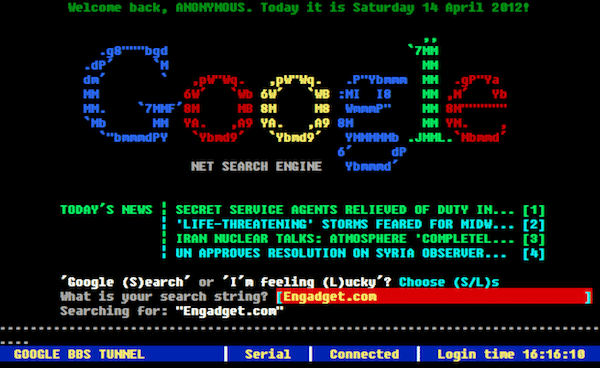
Once Upon a Time, There Were Bulletin Board Systems (BBS)
Trade Wars – One of the original MMOPGs back in the days of dial-up BBS systems.
I have been around the internet for a long time — probably even longer than some of the classmates in Blogging 101 have been alive — let’s put it this way, Internet Explorer did not exist, nor did any other graphical interface we have come to adore, you had to use dial-up (yes, using your house telephone), and log into a Unix text-based account and fire up programs like Lynx to surf the internet — if I had to put a date out there, let’s say 20+ years, and before that Bulletin Board Systems (BBS). What is interesting, is that from the first moment we could connect digitally – communicating amongst strangers has been a common theme, and has driven much of what we see today. BBS Messages hopping between computers once or twice a day, to text-based chat rooms, the first MMORPGs such as TradeWars, popular applications like ICQ and Yahoo Messenger that allowed you to search for random people based on information in their profile, or location, more internet chat rooms, the desire to explore people has been as popular as exploring information, to tweeting our lives 150 characters at a time. This topic alone could be a Blogging Series, but let’s move on.
The Evolution of Blogging
I look at Blogging as the latest evolution in our desire to reach out and touch the world. Blogging is an amazing forum to share our experiences, our life, and I admit, what I have really come to enjoy with my short time in the WordPress world.
WordPress is an amazing piece of software — which I have been using on www.makingyouthink.ca for a few years now. However, I really used the Content Management features of WordPress over the Blogging and storytelling. 99% of my content was static pages over posts much like any other website, and when I did write a post, it was for a purpose — to speak about my a new technical crazy, or the merits of backing up your digital photographs, and rarely was it personal or opinionated. Well not opinionated in a sense of exposing myself to the world. 😉
My second generation of Blogging has been much more personal than ever before, and hope that I have helped those that read my rants, as much as many of them have helped me, by simply expressing my words, and thoughts. If you want to know how it feels to prepare for a Colonoscopy, just give this post a read.
We write for countless reasons — for some, it is a form of confession, for others, much like myself, it is a way to help us organize our thoughts and ideas, from which to establish a game plan or next steps, and for all of us, it is a means to seek out that “virtual Bar Tender” and get a second opinion on life.
Today’s Blogging 101 lesson was to: Be a Good Neighbour: leave comments on at least four blogs that you’ve never commented on before.
Ever since our second assignment that pointed me to “Reader” I have been hooked with exploring everyone’s stories. Truthfully I was a little embarrassed to admit that up until that moment I thought finding a good Blog to follow was similar to finding anything else on-line, attack Google or DuckDuckGo. How wrong could I have been?
The reader is your portal to the estimated 60 million WordPress websites ¹, wow, that is a lot of storytelling, and interesting enough where I have been finding myself exploring, many times a day. To say I have enjoyed hearing people’s stories would be an understatement, many of which you can’t hold back and simply smile, while others, make your eyes swell up and the tears flow – simply give Goodbye Earl a read. We are the most passionate when we are the most vulnerable.
We all share common topics, experiences, and interest, however, our views are as unique as our fingerprints. All of us come from a different mould, our experiences, our upbringing, our convictions, all impact how we react, and what we take from the words we read, and as a result, our replies are as varied as our experiences. And it is these experiences, and in ways, what we have learnt about ourselves and how to persevere and succeed through these experiences, both good and bad, is what we use to drive our replies, and in turn. take another experience with us. I think I have read a few dozen blogs over the past week hoped my comments have helped everyone that has read them.
Although we are only into week two of our class, if learning how to find, read, and reply to our Blogging stories was all I take away from “Blogging 101”, I would be more than content with the course. It is probably a good thing that there is not a way to go back and list everything I have written or commented to others over the past week, no matter the number of words, this desire to explore Reader is building more and more each day. Even if 1% of what I write is taken to heart, the effort is worth the time, the moments reading, as enjoyable as the last, and stories as varied.
Keep up hitting publish as we are all here to read, reply and help out where we can.
Today’s assignment for our Blogging 101 course was to write an About Page. Who is Mark, what is he all about, and most importantly, why the heck is he writing? Like most of us, we have a reason that motivates us to put fingers to keyboard and through our heart to our words.
What makes for a killer about me page?
Looking to write an About Me page? Consider including some of the following on your new About Me page.
Your Site’s Bio – what is your Blog about? Why should your visitors stop and read?
Who are you – why are you writing? What credibility do you have?
Where are you located – great for fans to know where you are. This may also help with PR contacts.
Talk to your readers and tell a story – keep your tone conversational and write in the first person. Tell them a story.
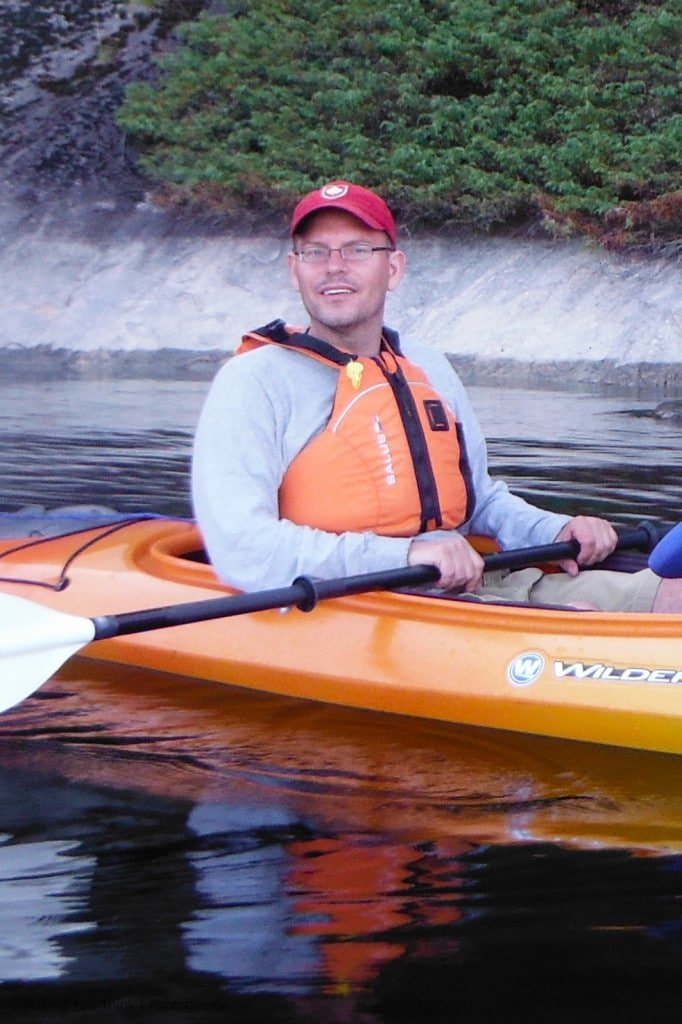
Who is Mark?
Over time, this may evolve, but so does life. What is important today, may seem irrelevant five years from now — a birth, a death, illness, all influence us in many ways and through that our words.
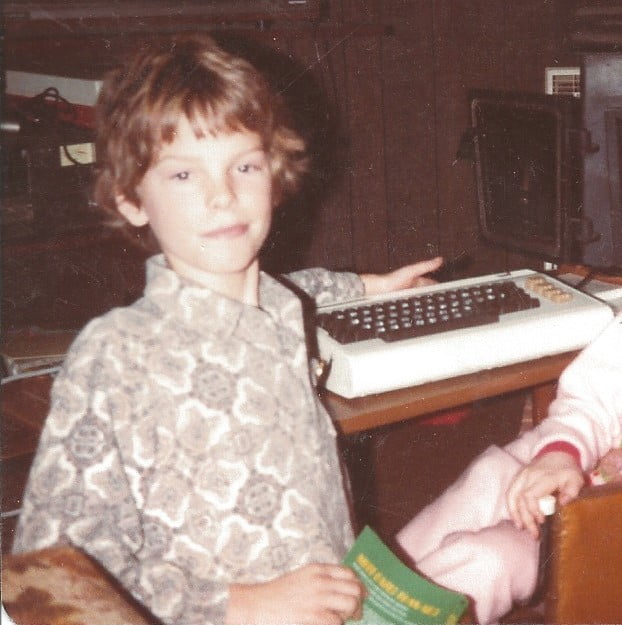
It is interesting what molds us (My first computer – Commodore Vic-20)
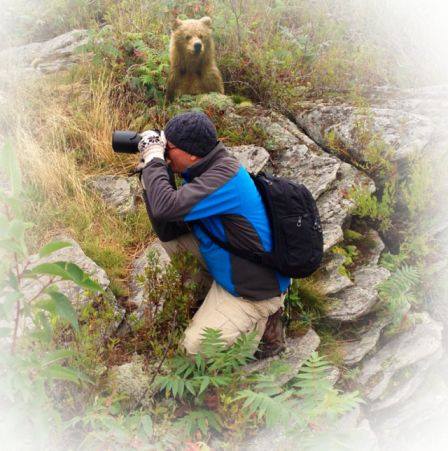
Passions – far and wide.
Technology is still a big part of my life.
However, so is exploring the details of life on frame at a time.
We all have our demons – Diabetes and Crohn’s disease.
And what motivates us.
Feel free to explore my About Me Page and let me know what you think. Was I personal enough, did I hold back? What questions did you have that I could answer?
I plead to you, Don’t judge a book, or in our case a Blog by its cover! Admit it, themes, themes, themes, this feels like the first day at High School, where how you look, dress, act, will brand you for the next four years. As terrible as it may be, a theme could very much be the same. As adults, we know better to judge a book by its cover, or the author by the Theme, but how quickly do we bounce from a site, if the content is chaotic? Today’s Blogging 101 lesson is about themes. Try out at least three other themes, even if you are happy with yours. You never know what you will find.
Going back even five years ago, having your own website was simply a bit of a technical chore if you go back even further, website communities such as Geocities attempted to provide a website to everyone, however, the world of HTML, CSS, Coding, and, ugg, design, always kept the www at arm’s length. Thank you to the world of CMS (Content Management Systems) and the birth of platforms such as WordPress – and with them, dedicated people that are much more artistically, and creatively inclined than myself (the technical piece has always been easy), to create thousands of brilliant Theme designs that I can simply plop onto my WordPress site and change our Theme — INSTANT MAKEOVER!
The latest Blogging 101: Zero to Hero assignment:
Love your Theme: try out at least three other themes — even if you’re happy with yours. Try one you’re drawn to, and one you’d never use.
So what is your Theme Personality?
Search, install, activate — and wow — you have a new Theme Personality. Configure a few widgets and you have a shiny new blog as a home to your thousands of hours of words, stories and confessions. Do you like a clean simple approach such as those offered by Twenty Ten to Twenty Fourteen (currently installed on my Blog), Chalkboard, a fun play on our life in school, or a “premium theme” such as those provided by companies such as “StudioPress“. Before our first Blogging 101 class, much like Back to School shopping, I raced around to give my Blog some new life. I was looking for a theme that matched the following:
Clean, simple, and organized
Provided multiple areas to list posts by category
As responsive on a web browser as it was on a mobile phone
Flexible to allow me to personalize it as I wanted
So that folks was my Theme Personality, and the hunt was on!
What themes do I have installed?
A picture is always worth a few thousand words so here is a screen capture of my Theme directory…
The Power of Widgets and WordPress Plugins
A great theme is perfect – but what about our personality? After all — two people can always go to the store and buy the same Shirt, Tie, Dress, Shoes — that is our theme — off the rack, coolness! Now how do we add a bit of ourselves? As I noted above, my Theme Personality needed to have a few places to talk to the world. How to celebrate my moments that I put my “geek” on, how to celebrate, rant, complain about my “Crohn’s and Diabetes”, what posts to highlight my passion for photography (or how to highlight), and then there is “everything else”. How can I ensure there isn’t any duplication in posts, and still capture everything possible?
I am not going to jump too deep into the Widgets and the power of Plugins today (after all, that may be another assignment), but what I am going to say, is that Widgets and the plugins we have installed are powerful, widgets are great, widgets and what we populate in them, make our blog come alive, help organize the chaotic world of our thoughts and ideas into an experience we enjoy opening to the world.
So what are your thoughts about my website ….
Our theme is a balance between our own taste and desires and helping navigate the universe of visitors to our site around. Where can I improve my site, what did you like, what would you want to borrow?